Project Management

Project Admin

The Project Management section of the User Guide contains the following topics:

Create a Project Daily Log/Site Diary General Correspondence

Meeting Minutes Project Admin Purchase Order Request for Information (RFI)

Scheduling Smart Emails | Instruction Videos

Use Back button ← on your browser to return to previous menu

Project Admin

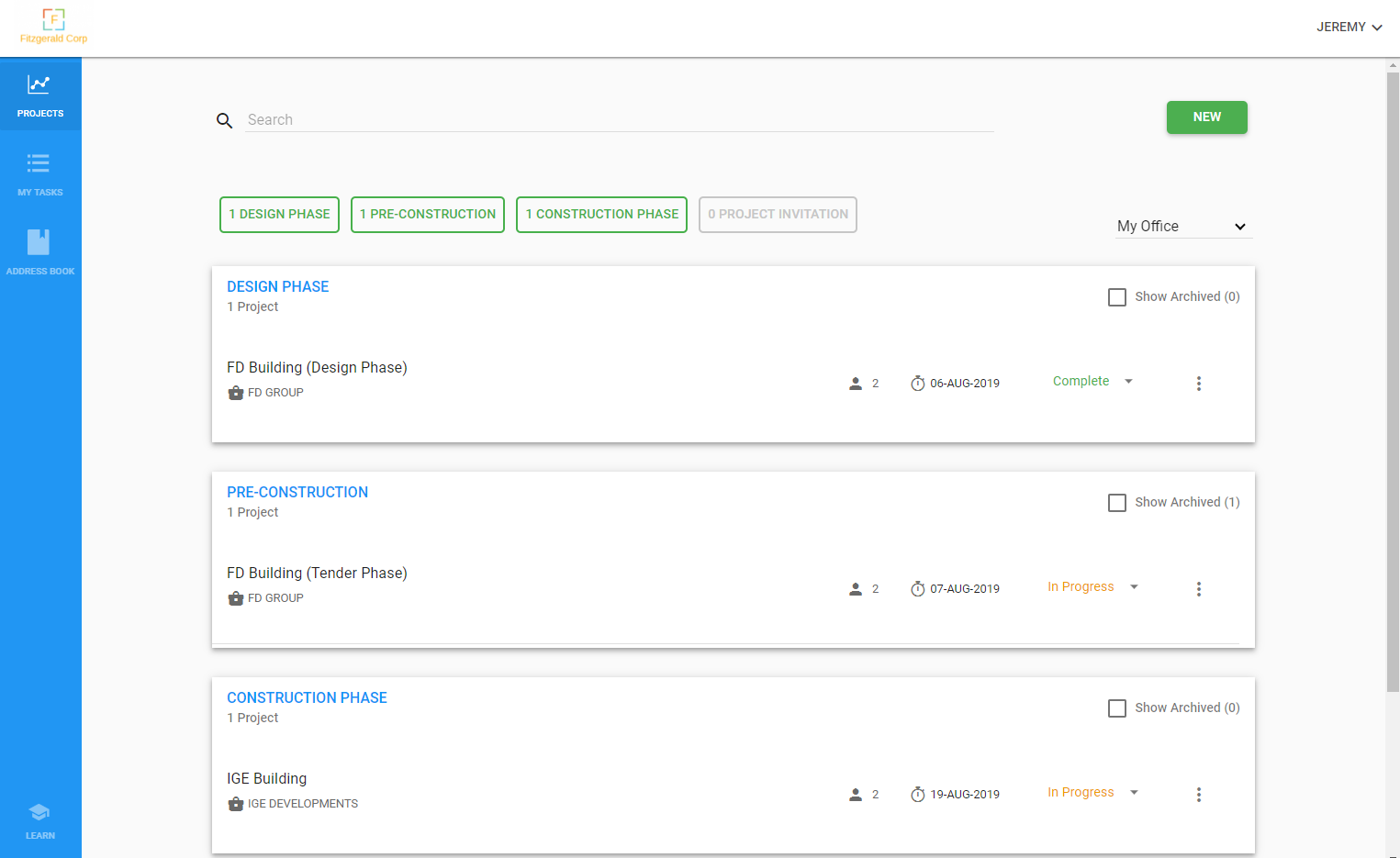
Project Admin – “Design”, “Pre-construction” and “Construction” phase projects

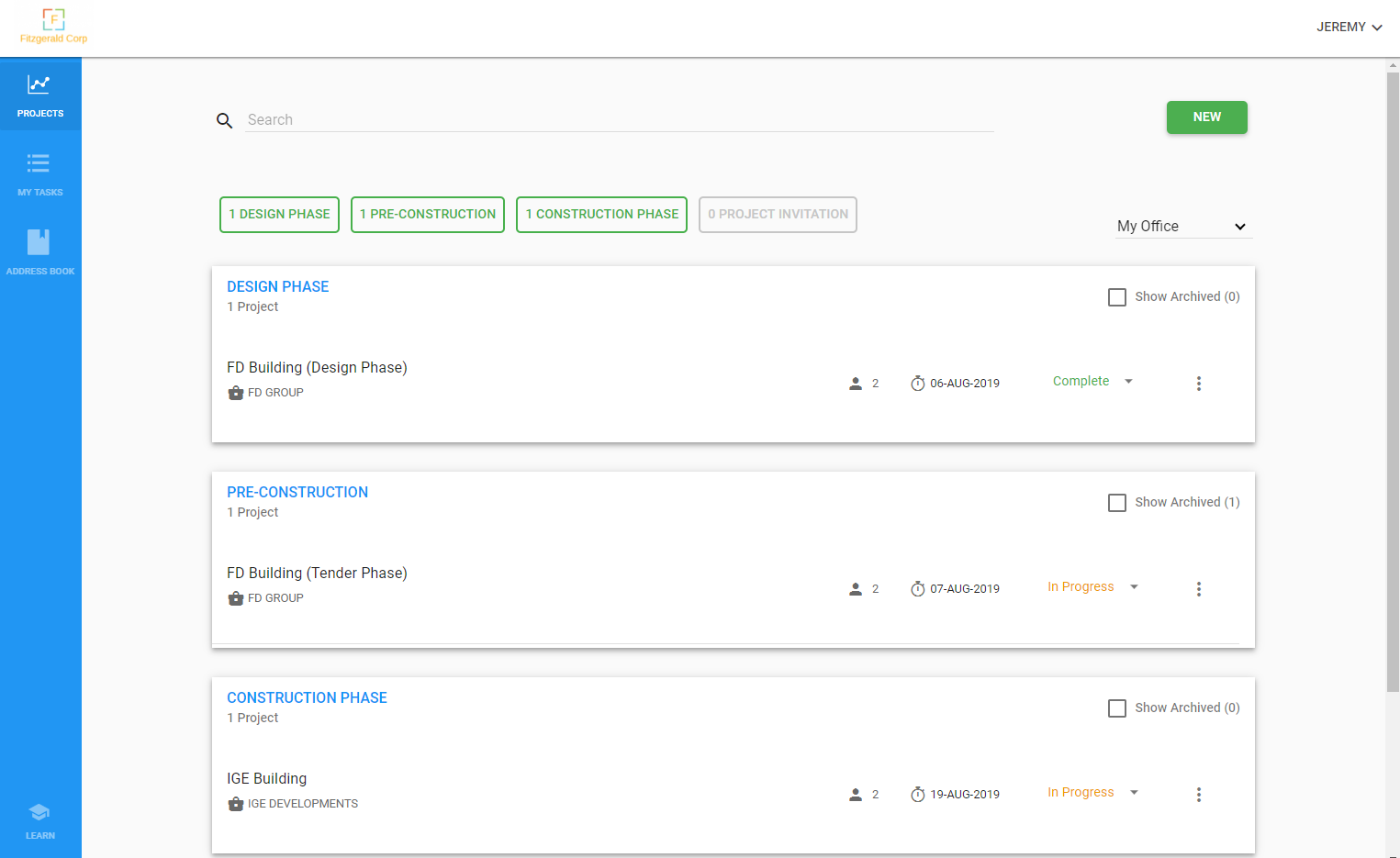
Design, Pre-construction and Construction phase projects in Webuild are almost identical in terms of functionality. The only differences between phases are the private metrics captured in each phase for reporting purposes. Some metrics are captured when a project is created, while others are captured at the end of a phase when a project is closed.

Design Phase 

  • Client Name
  • Design Due Date

Pre-construction Phase

  • Client Name
  • Proposal Due to Client (date)
  • Estimated Project Value
  • Overall Result (Won or Lost)
  • Result Date
  • Project Value
  • Fee Percentage
  • Awarded Competitor (if lost)
  • Awarded Value (if lost)

Construction Phase

  • Client Name
  • Project Award Date
  • Practical Completion (PC) date
  • Project Value
  • Fee Percentage

All project types can be handed over from one phase to another without restrictions. When a project is handed over to key members of the next phase, the following items are passed on to the new project:

  • Project documents and revisions
  • Bid packages along with contractors and their tender quote documents
  • Transmittal documents sent during the tender phase

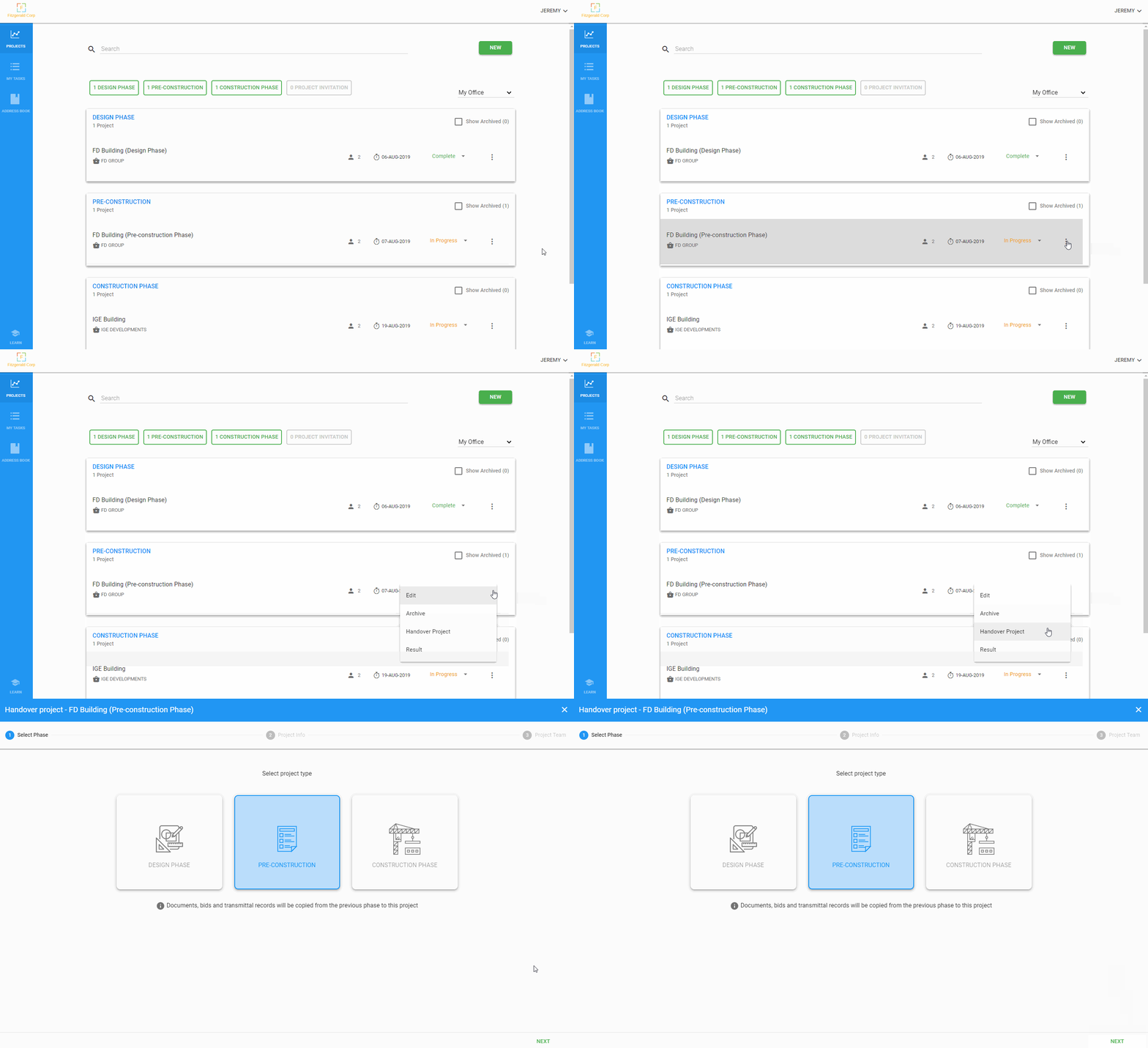
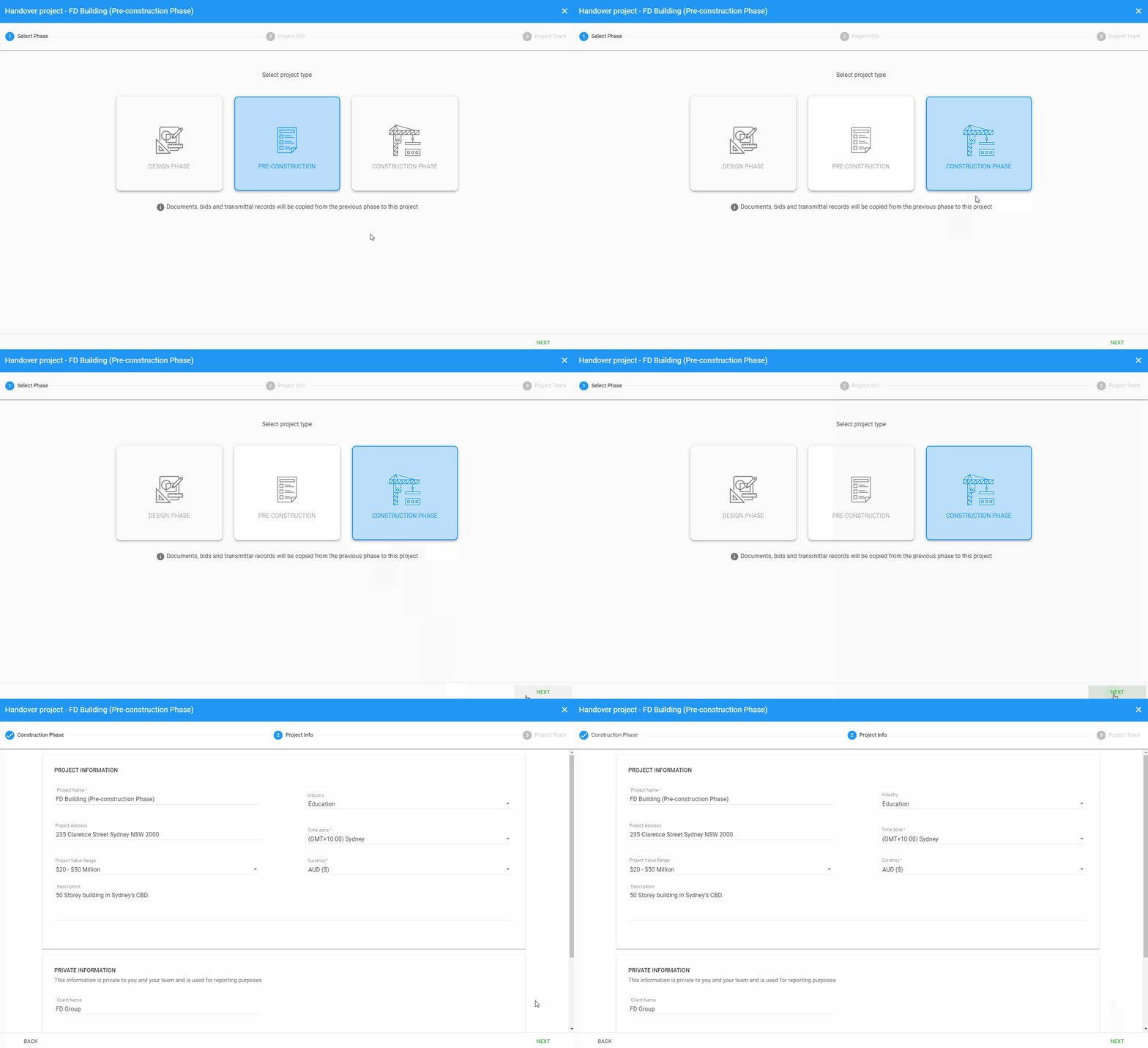
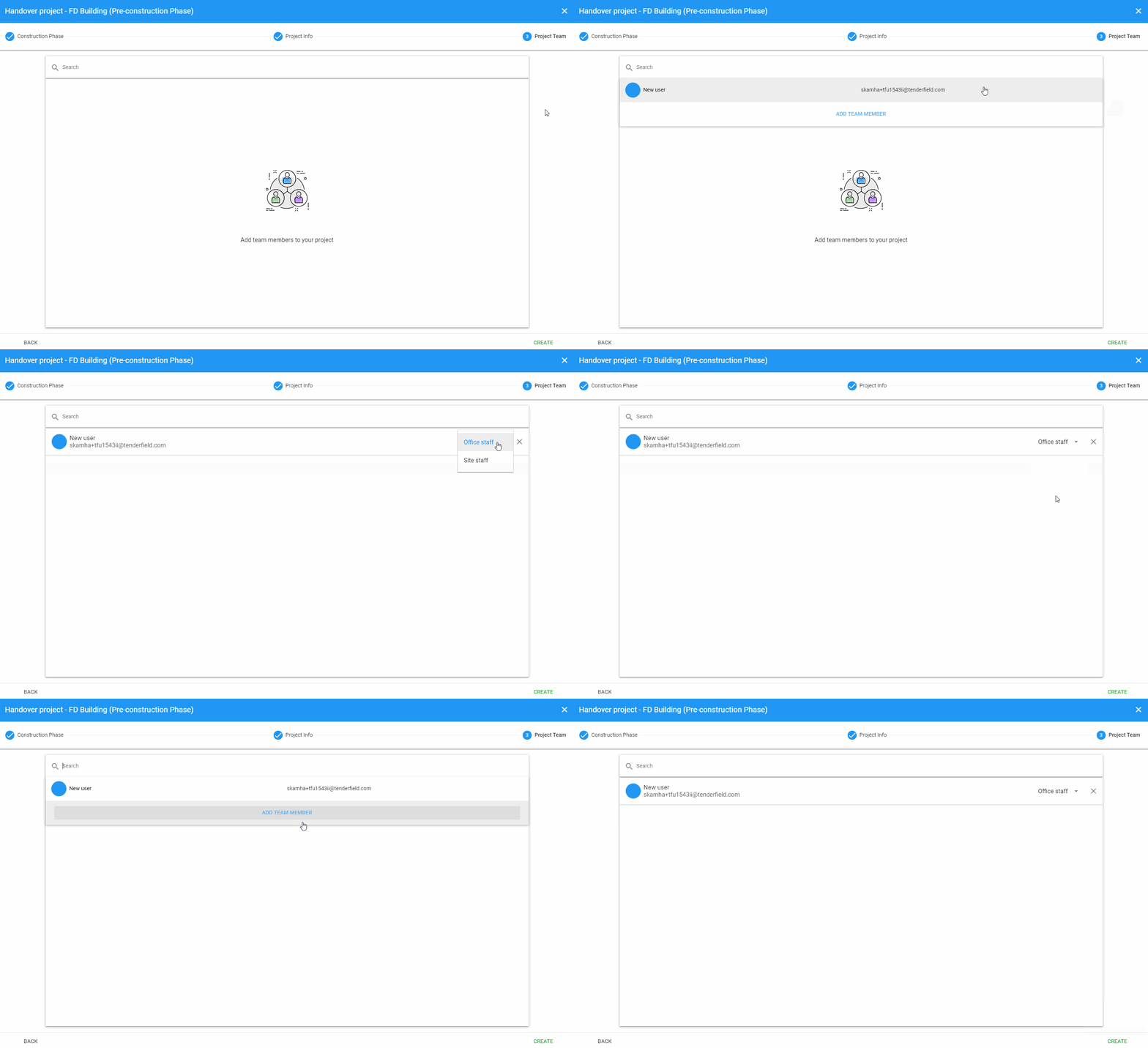
Project Admin – Hand over project to next phase

Once one phase of a project is complete, users can hand over the project to key team members managing the next phase. For example, a design phase staff member handing over a project to colleagues managing the pre-construction phase of the project.

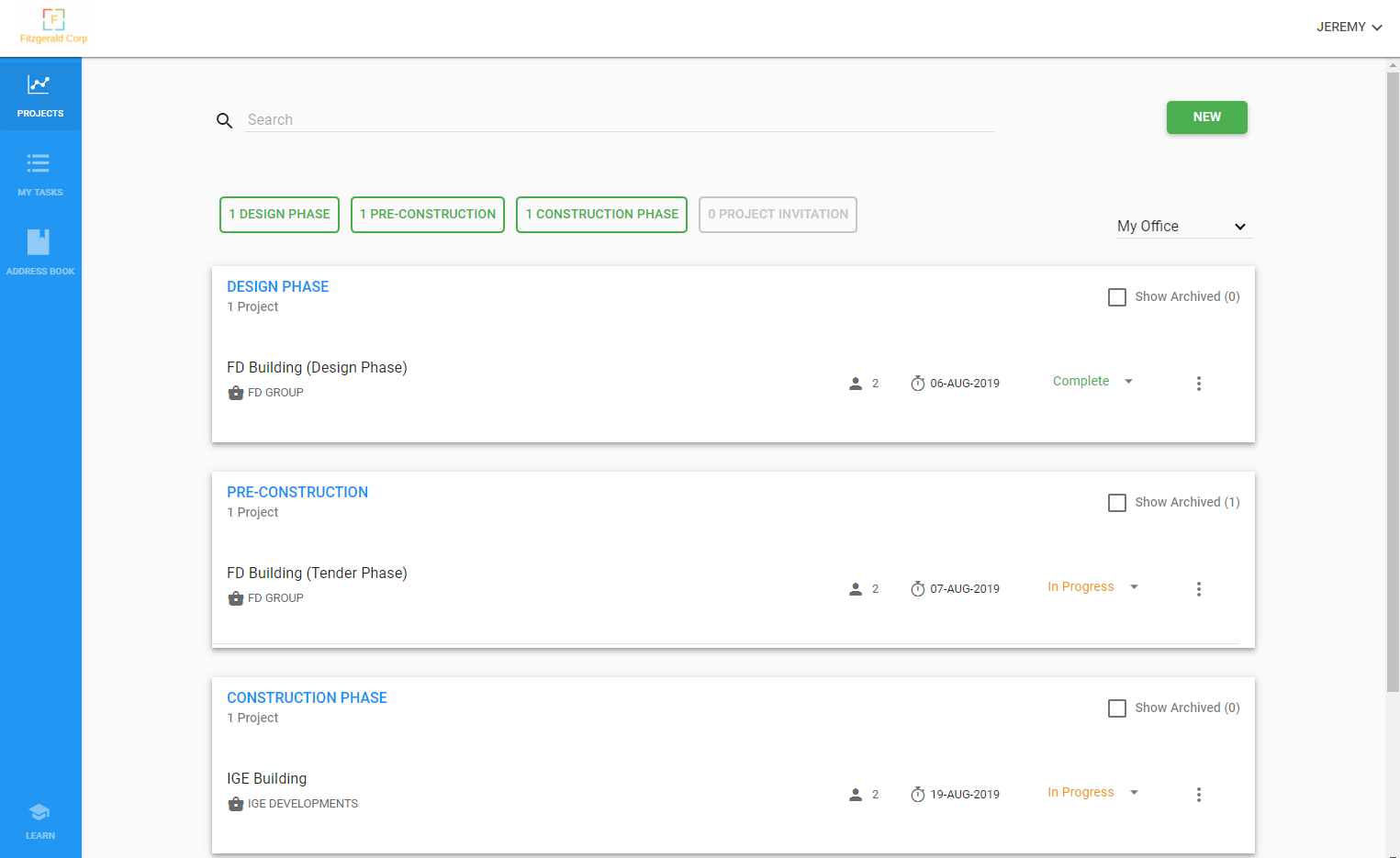
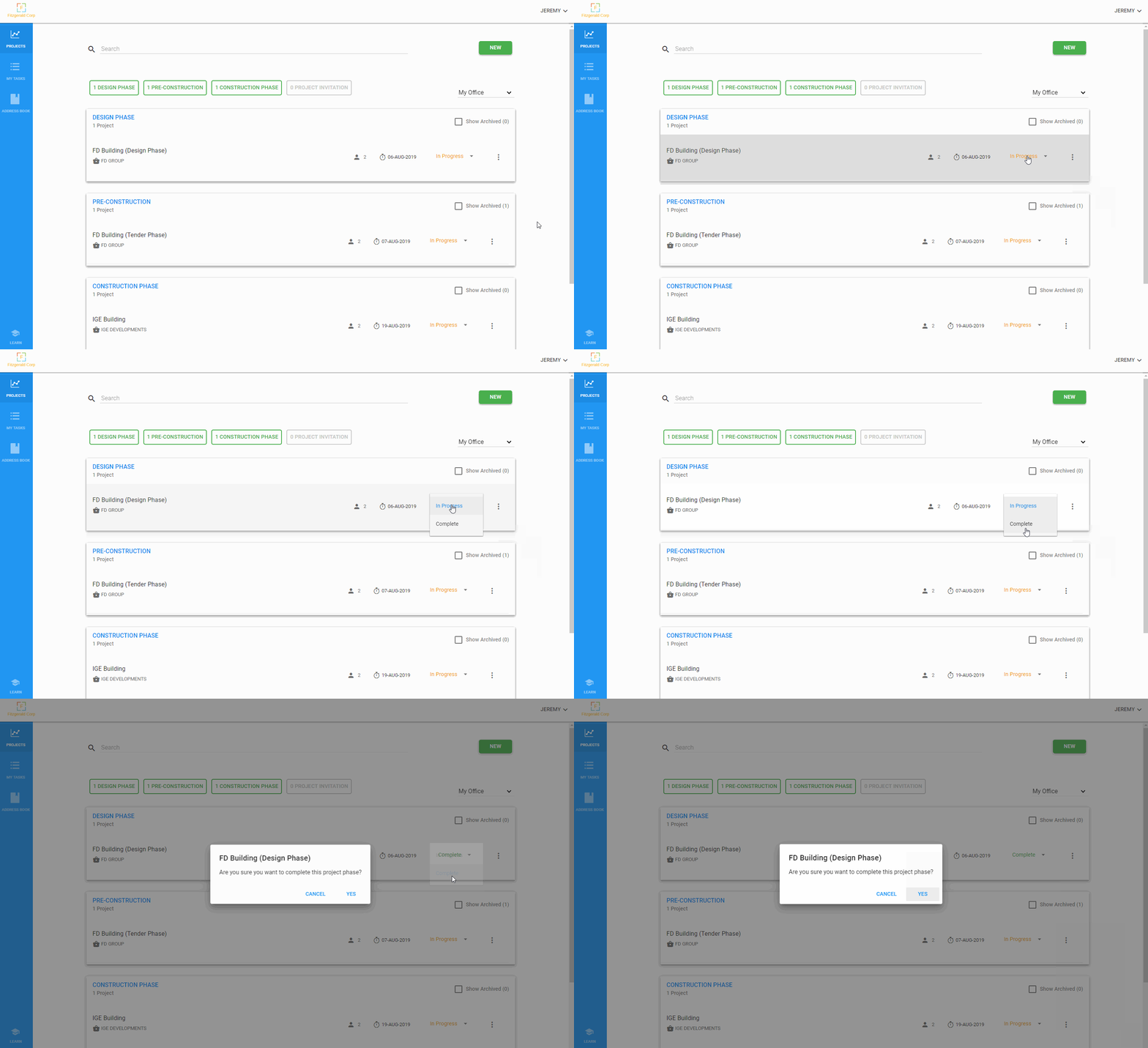
Project Admin – Close a Design Phase project

Project Admin – Close a Pre-construction phase project

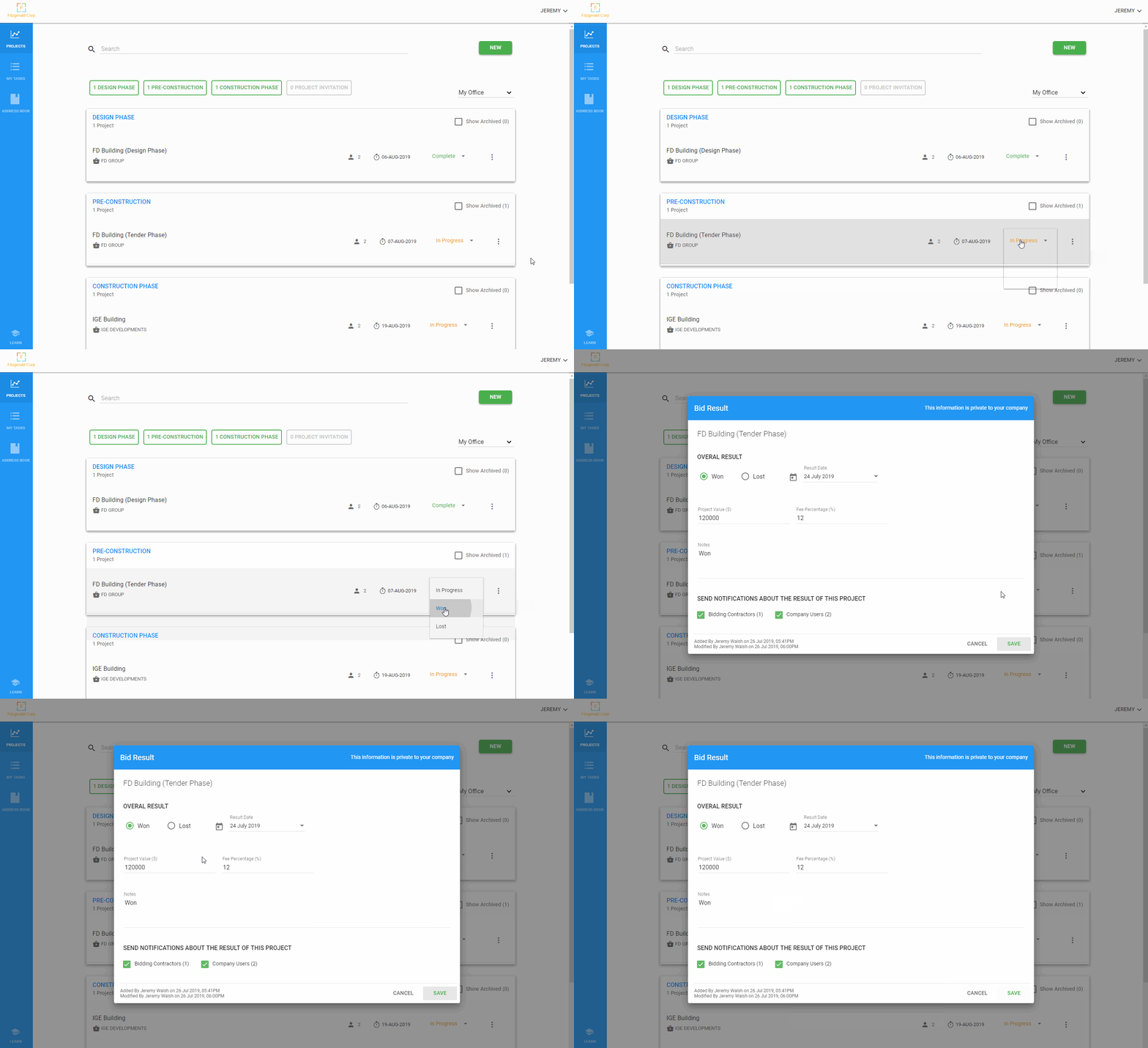
Step 2:  Click on the status menu

Click on the related project’s status menu and select “Won” (if your company was awarded the project) or “Lost” (if another company was awarded the project) from the list.

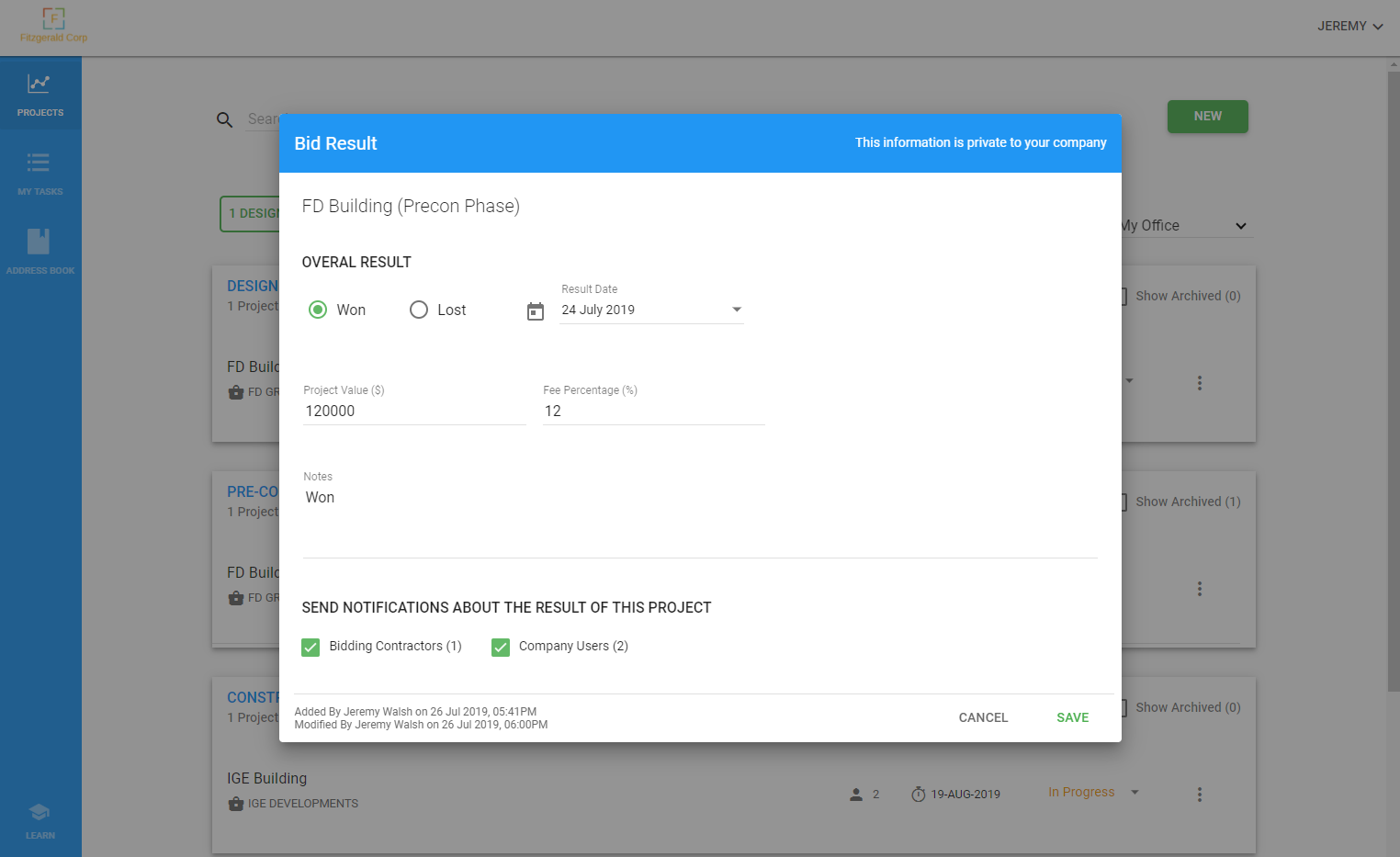
Step 3:  Add result information/notifications

Type in your project’s result information for company reporting purposes (this information cannot be viewed by anyone outside your company).

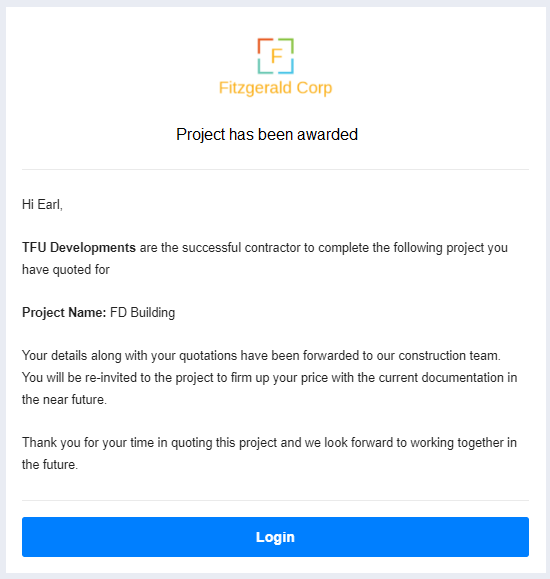
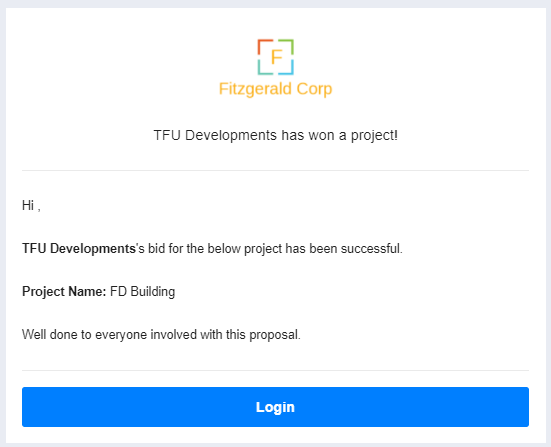
You can let all bidding contractors know your bid for the project has been successful by clicking the “Bidding Contractors” checkbox under the notifications section of the dialog. You can also opt to send notifications about the project’s result to your company’s users by selecting the “Company Users” checkbox.

Example: notifications to bidding contractors

 Example:  notifications to company users

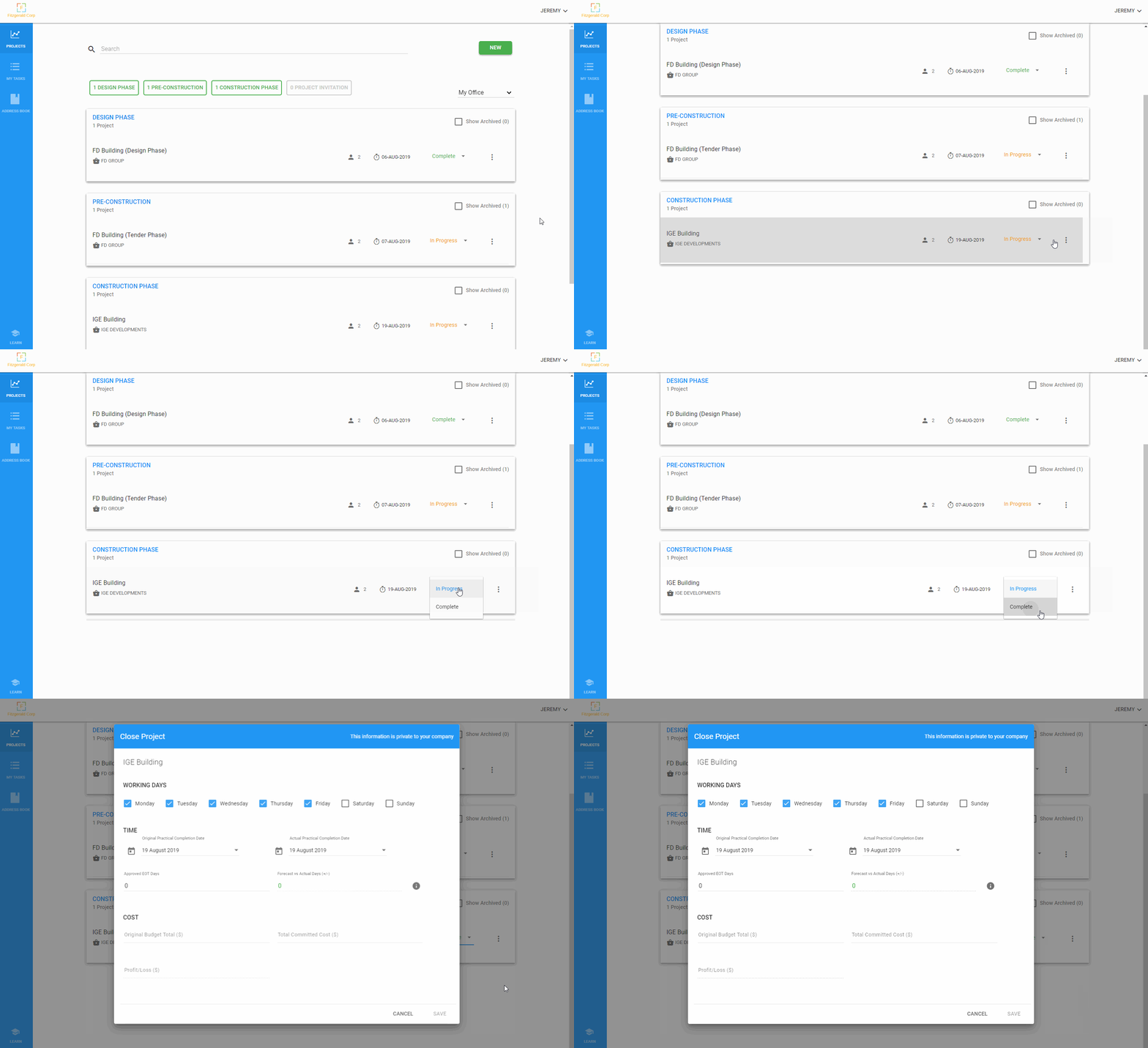
Project Admin – Close a Construction Phase project

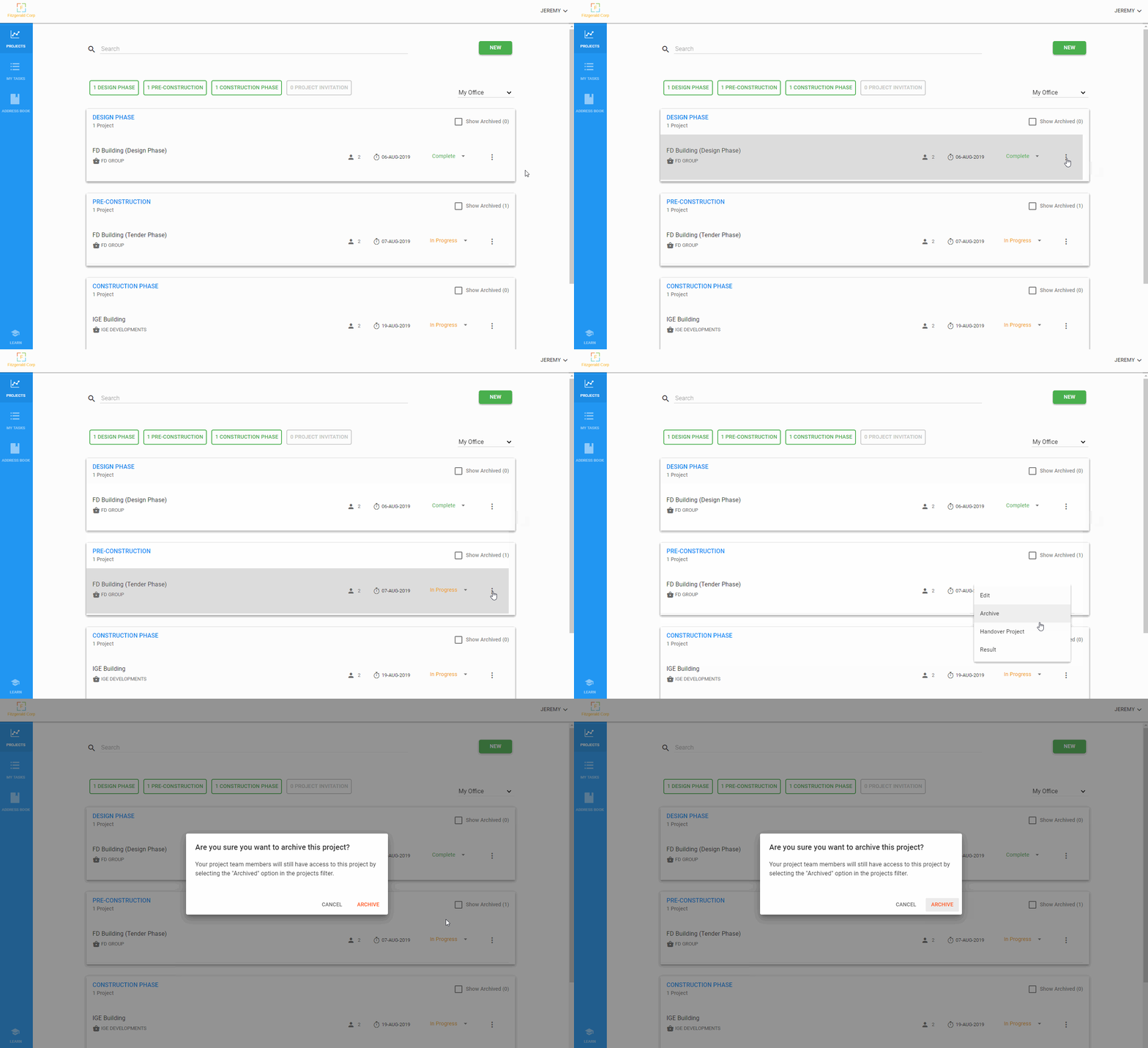
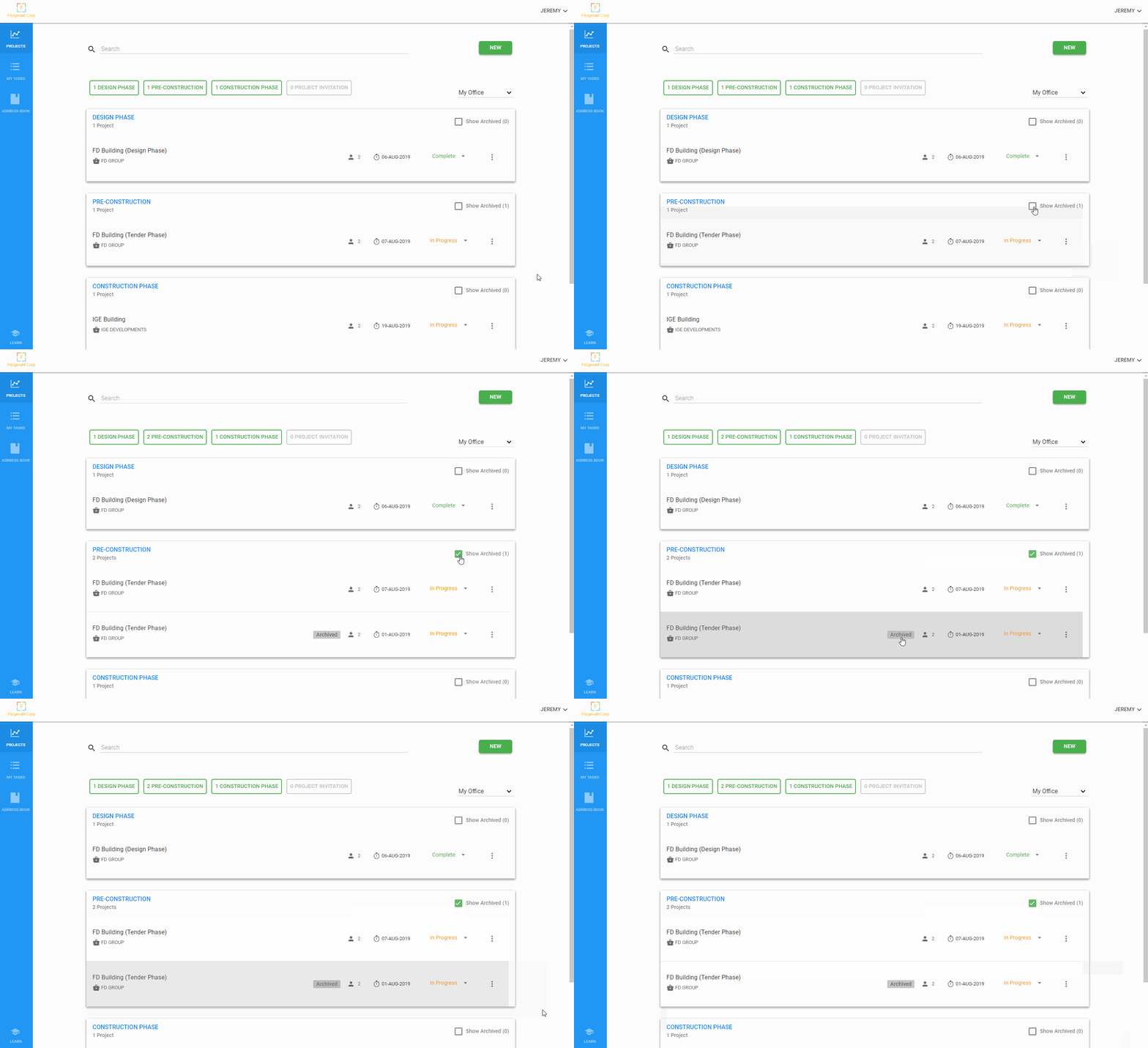
Project Admin – Archive a project

Project Admin- Unarchive a project

Project Admin – Hide a Project Invitation from Projects page

Contact us to learn more

A guide to the construction submittal process

A Guide To Construction Submittals

Construction submittals can consist of multiple elements including technical data, samples, shop drawings, production specifications.

Slider_Document Management

5 ways technology will boost efficiency in the Construction Industry

The construction industry is poised for a technological revolution. Confronted by a variety of challenges – environmental issues, low profit margins, more demanding clients, tightened building regulations – the industry has grown adept to embracing new technologies. The industry needs to respond to the perennial problems associated with it. As highlighted in a McKinsey report, it is not uncommon for construction schedules to run 20% over time and cost 80% over budget.

Top 10 new construction technologies 2011x1270

Top 10 emerging construction technologies

As the construction industry look for innovative ways to improve labor productivity and sustainability, here’s our top 10 new technology trends.

© 2024  Tenderfield Pty Ltd – All rights reserved.

Button Appstorebutton googleplay